D10 Wi-Fi Thermostat
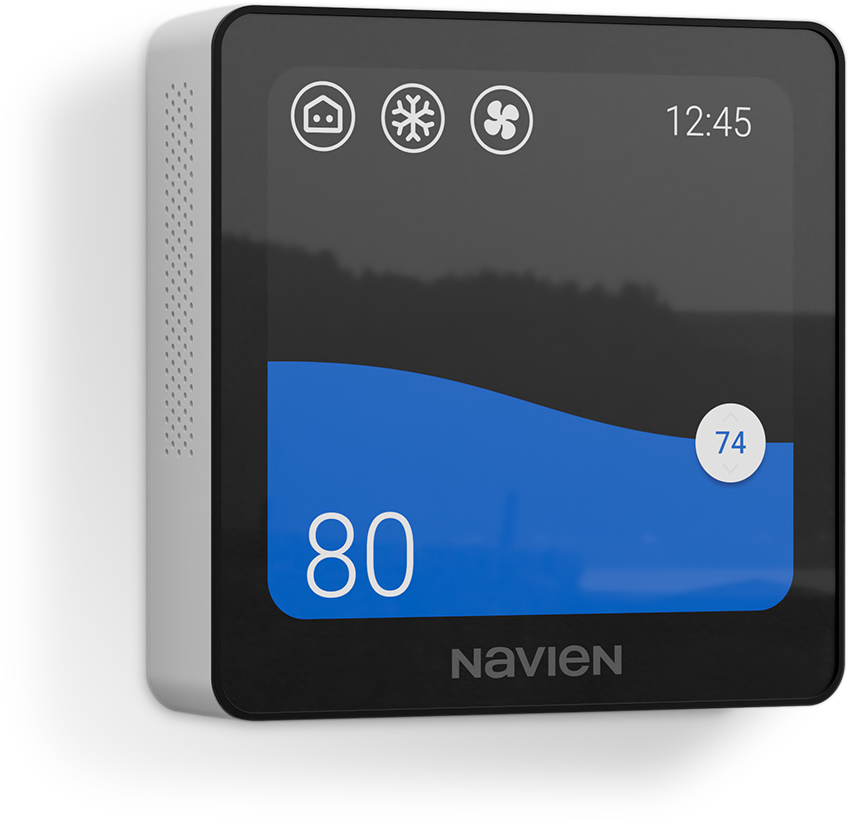
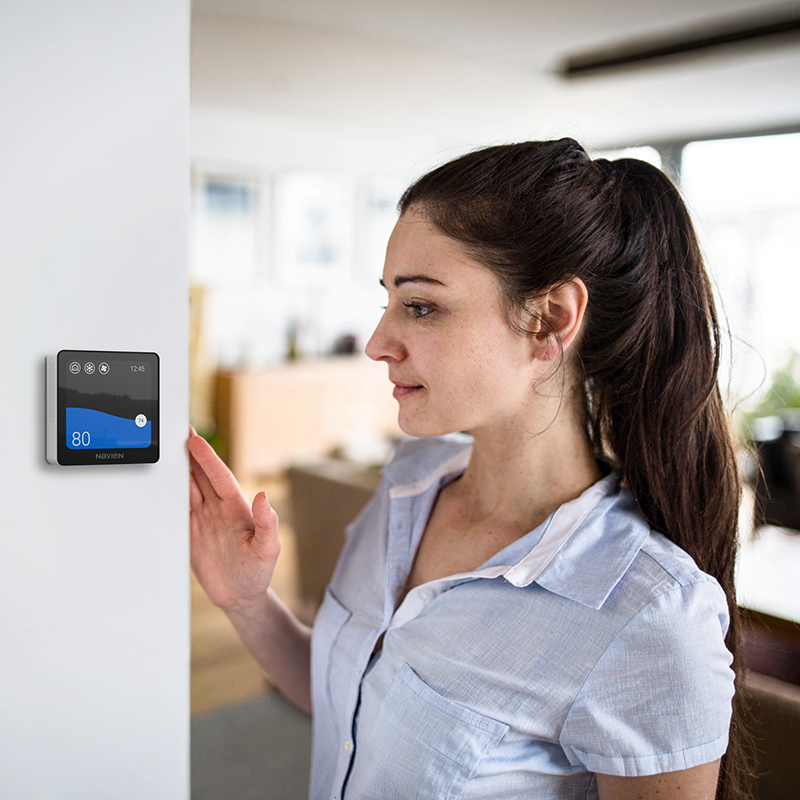
Bring your home comfort under connected control with Navien D10 Wi-Fi thermostat. Its full-color intuitive touch screen makes everyday temperature adjustments simple, while the NaviLink app lets you manage your HVAC system remotely from your smart phone or tablet. Designed to work with most residential heating and cooling products, the thermostat is the perfect match to the Navien HVAC systems, making scheduling, programming, and modifying your home’s temperature easy and convenient.

Intuitive 4" touch-screen with easy
visibility and operation.
NaviLink App enables integrated thermostat control and equipment monitoring.
Supports up to 3 heat/2 cool stages with flexible compatibility with most HVAC systems.
Wi-Fi
2.4 GHz required.
Easy to install and comes standard with wall cover back plate.
Fuel-saving, high efficiency technology
& Energy Star Certified.
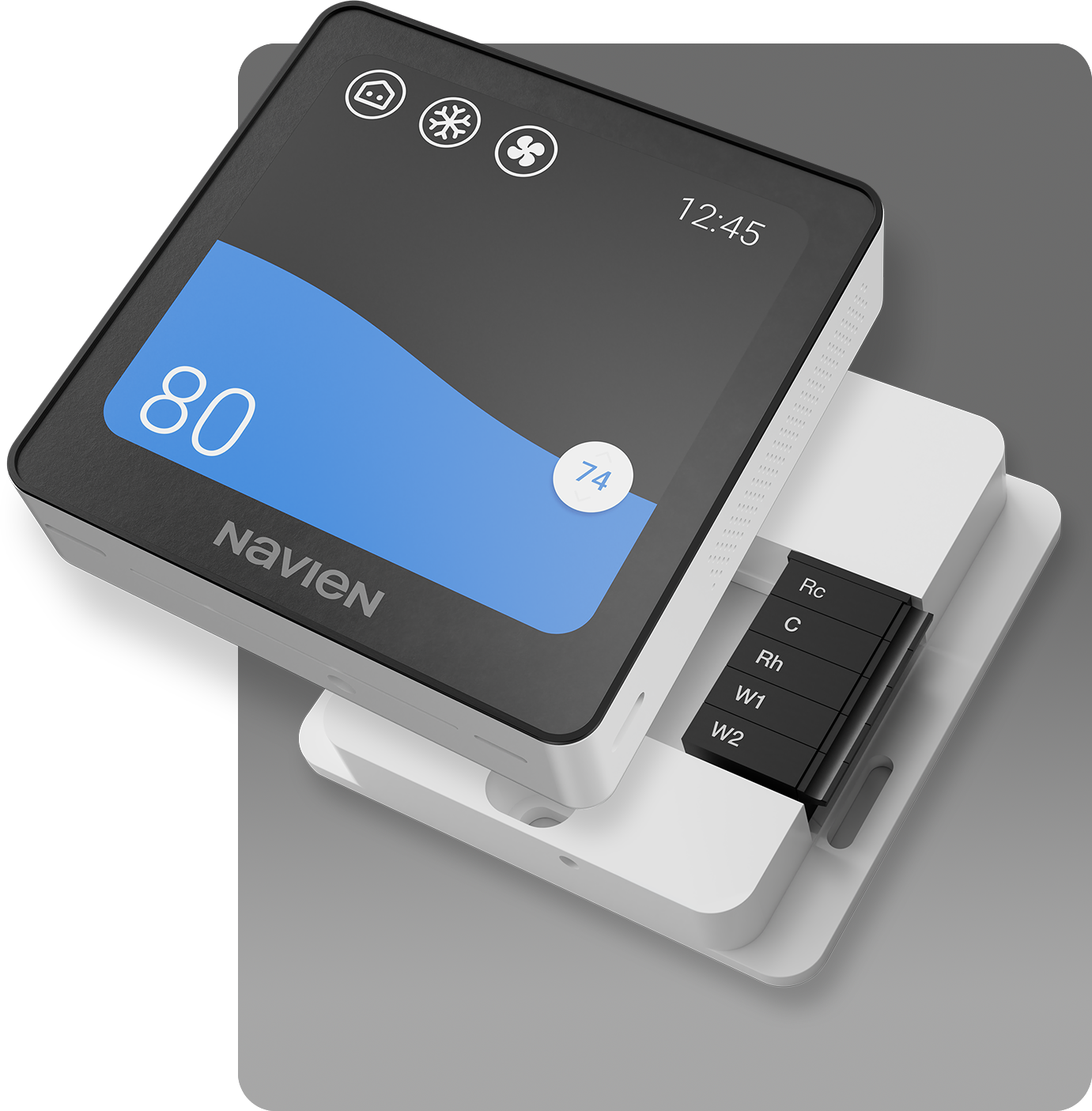
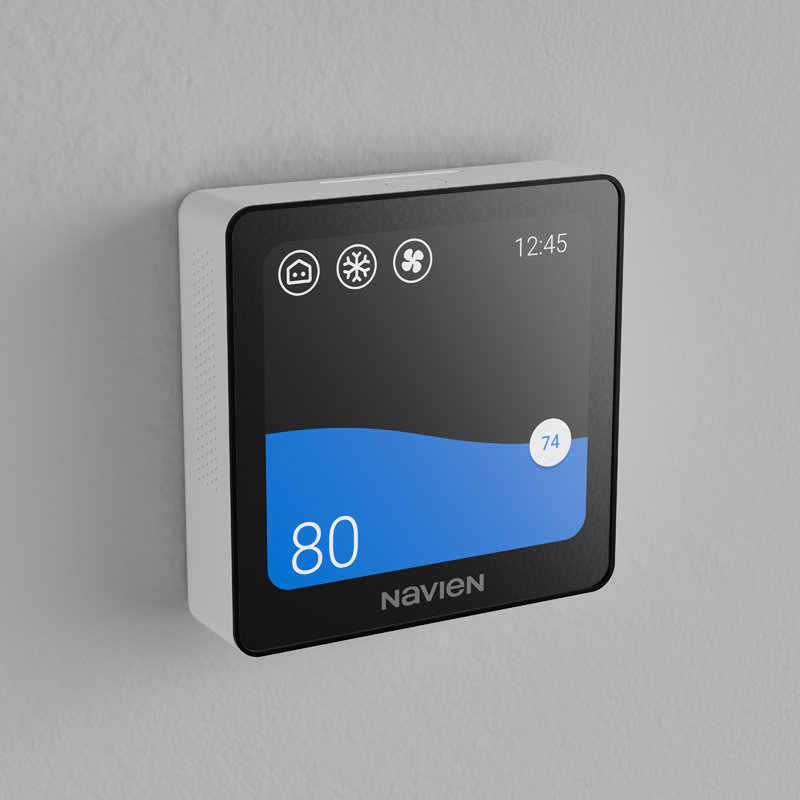
The D10 gives you a clear view of your current room temperature, target temperature, system mode and fan status on one full-color touchscreen. Its distinctive wave-style display helps visualize temperature changes, and different screen colors make it easy to tell at a glance when your system is heating, cooling or idle.
Adjust your setpoints with a tap or swipe, switch between available heating and cooling modes, or select Auto mode and let the thermostat change between heating and cooling as conditions change.
You can also customize how the display behaves when you’re not using it. Keep it on, switch to a standby screen or have it turn off after a selected period. The screen can wake with either proximity detection or a tap.
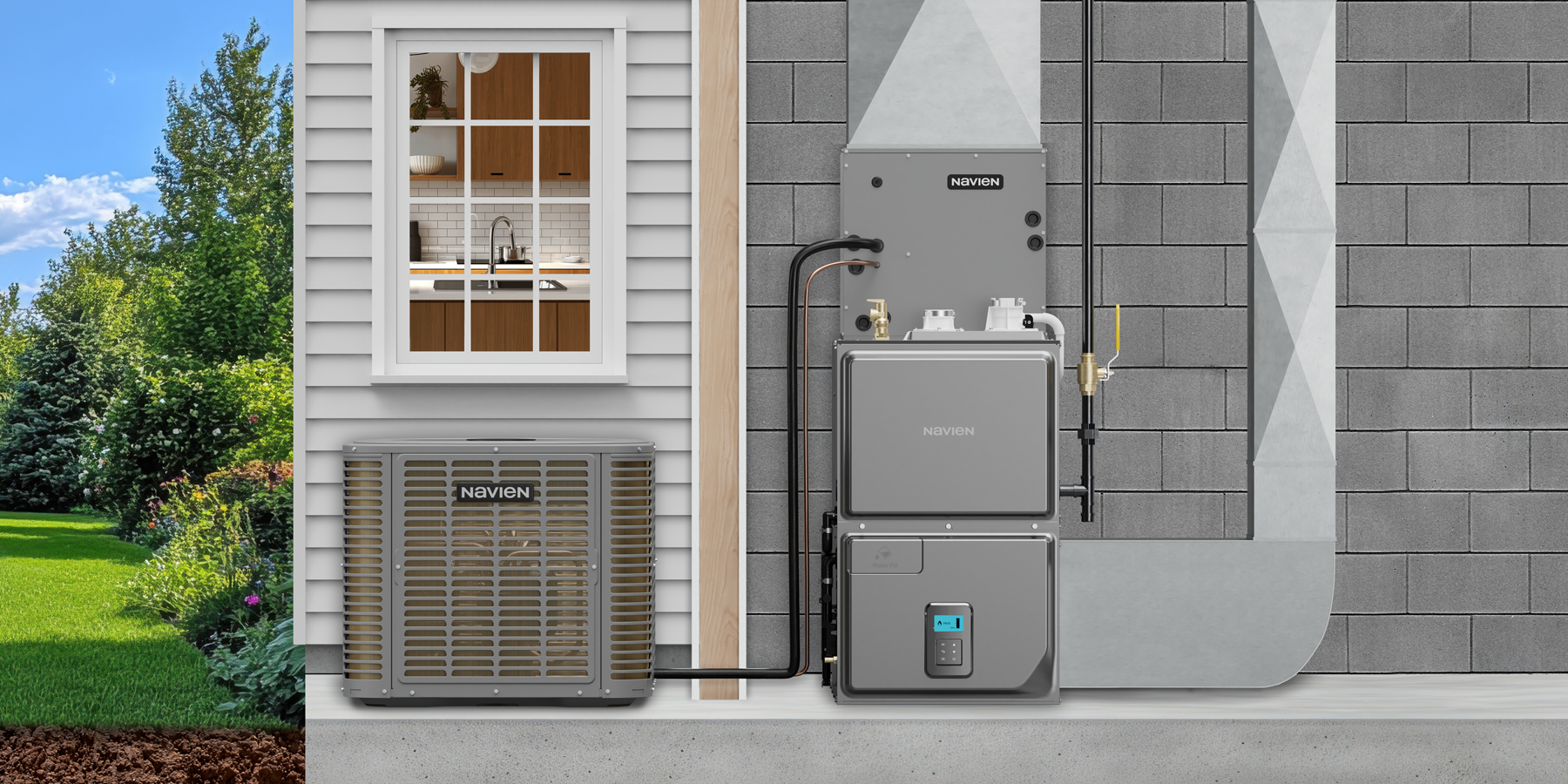
The D10 Wi-Fi thermostat is designed for many common residential HVAC configurations, including:
The D10 supports up to 3 stages of heating and 2 stages of cooling, giving installers flexibility across a range of system configurations.
Setup is straightforward. During installation, a two-digit configuration code matches the thermostat settings to the home’s HVAC equipment, with Navien’s Product Support Portal available to guide the process.
Connect the thermostat to Wi-Fi and pair it with the NaviLink app by scanning a QR code. Once connected, you can access thermostat controls remotely from a compatible Android or iOS device.
For homes with compatible Navien HVAC equipment, NaviLink brings the thermostat, indoor unit and outdoor unit together in one app, giving you a more convenient way to manage your entire home comfort system from one place

Available for Download
on IOS or Android
Set your Comfort, Away and Sleep times with their own heating and cooling temperatures, then let your thermostat follow the schedule throughout the day. You can manage schedules directly from the thermostat touchscreen or through the NaviLink app.
Smart Away takes convenience a step further by using geofencing to automatically adjust operation based on whether you’re home or away.
When your heating and cooling schedule needs flexibility, you can make a temporary change without starting over:
Scheduling and automatic adjustments also help avoid heating and cooling when you don’t need it, for energy savings.
The D10 Wi-Fi thermostat includes Temperature Offset and Deadband settings for more precise adjustment based on your home layout and HVAC setup.
Temperature Offset lets you correct the displayed room temperature when the thermostat’s location causes its reading to differ slightly from the actual temperature in the space. For example, a thermostat near a draft or direct sunlight may read differently from a thermometer located elsewhere in the room.
Deadband creates a small temperature buffer where your HVAC system stays off instead of cycling on again right away. This helps reduce short cycling when the room temperature hovers near the setpoint, which helps reduce unnecessary wear on heating and cooling equipment over time. In Auto mode, a deadband also helps keep heating and cooling from turning on too close together.
The fine-tuning features can help your HVAC system run more efficiently by giving you more precise control over when heating and cooling are needed.

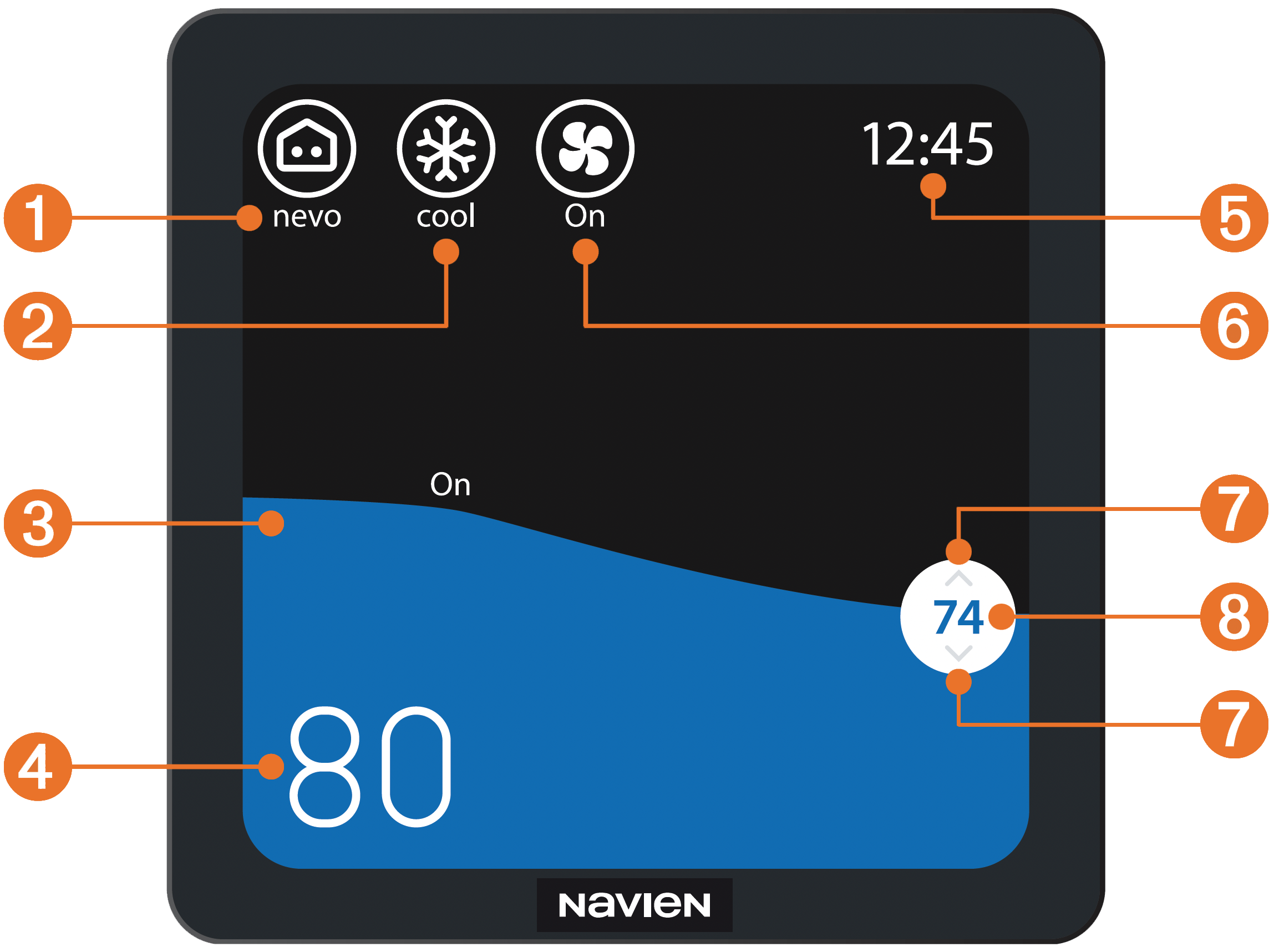
1
Nevo
Weather, air quality, system stat/alerts.
2
System mode*
Set your system mode to cool, heat, auto, power off or emergency heat.
3
Display
Display turns blue when cooling, orange when heating, red when heating with emergency heat. Gray means your system is off or not running.
4
Current temperature*
Shows the indoor temperature.
5
Time/day
The time and day can be set manually or set automatically via Wi-Fi in 12-hour or 24-hour format.
6
Fan*
Set your fan mode to auto or on.
7
Temperature adjustment
Hold the target temperature in the bubble and swipe up or down to adjust preferred temperature. Or simply tap above or below the set point bubble to adjust the temperature.
8
Target temperature
Shows the temperature setpoint.
*Available system and fan modes can vary depending on your HVAC system configuration.
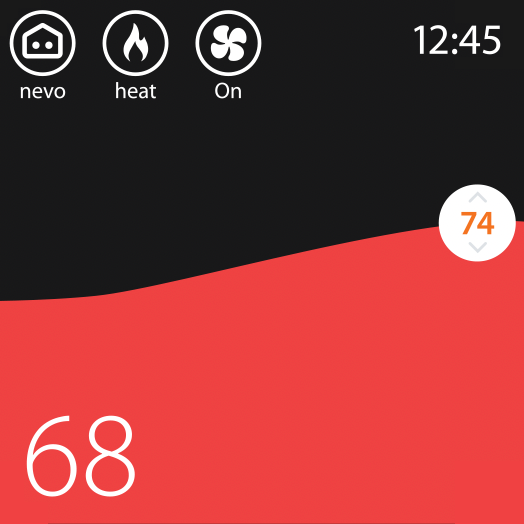
Heat
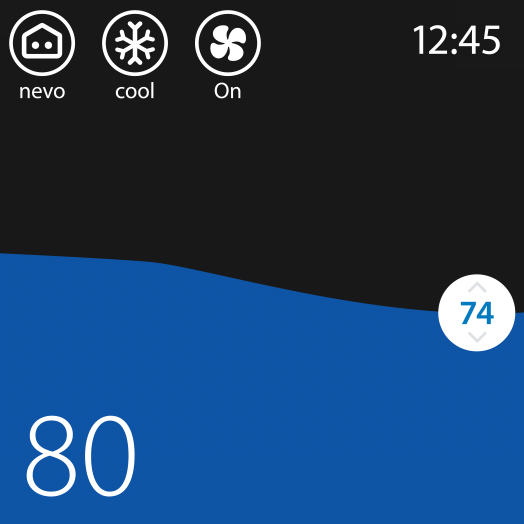
Cool
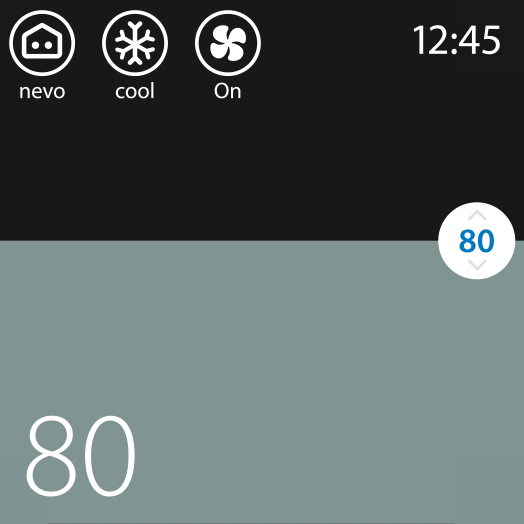
Off or not running
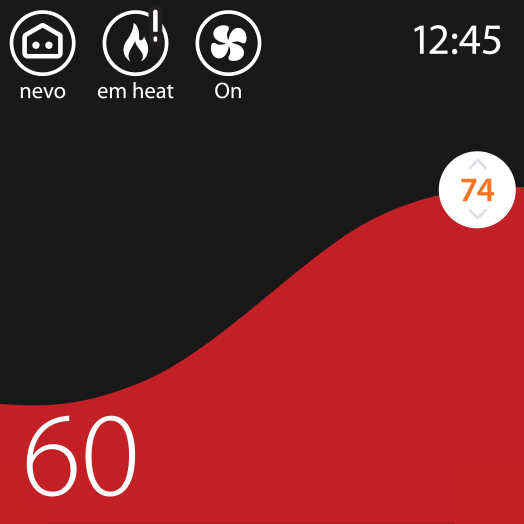
Emergency heat

Bring your heating and cooling together with the Navien D10 Wi-Fi thermostat and NaviLink connected controls. Connect with a Navien installer to get the D10 configured for your home.
Connect with
an Installer

Bring your heating and cooling together with the Navien D10 Series Wi-Fi thermostat and NaviLink connected controls. Connect with a Navien installer to get the D10 Series configured for your home.
Connect with
an Installer
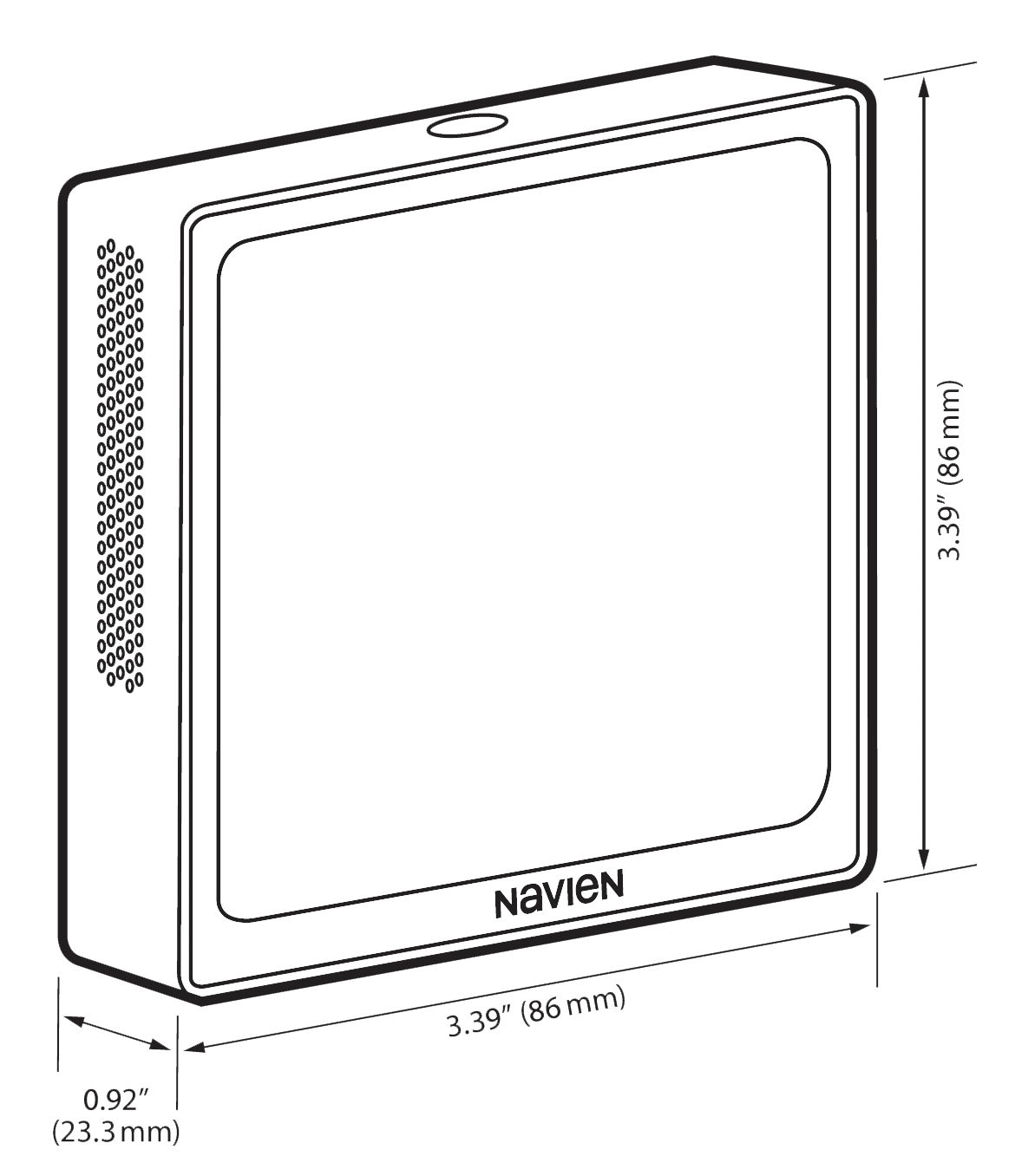
3.39 in x 3.39 in x 0.92 in (mm 86 x 86 x 23.3)
The base plate mounts easily to the wall with a couple screws. Once the wires are connected, just snap the front touchscreen panel in place.
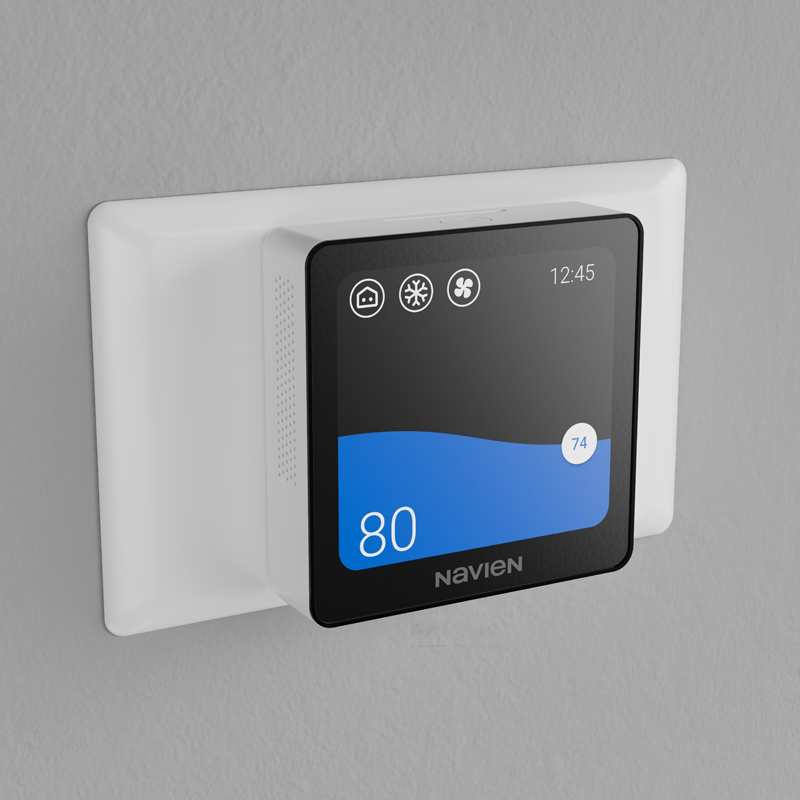
The D10 Thermostat comes with a mounting plate and wall cover plate that conceals imperfection in the wall. The base plate and front touchscreen attaches on top for an easy install.
| Limited Warranty Period | |
| D10 Wi-Fi Thermostat | 2 years from day of purchase |
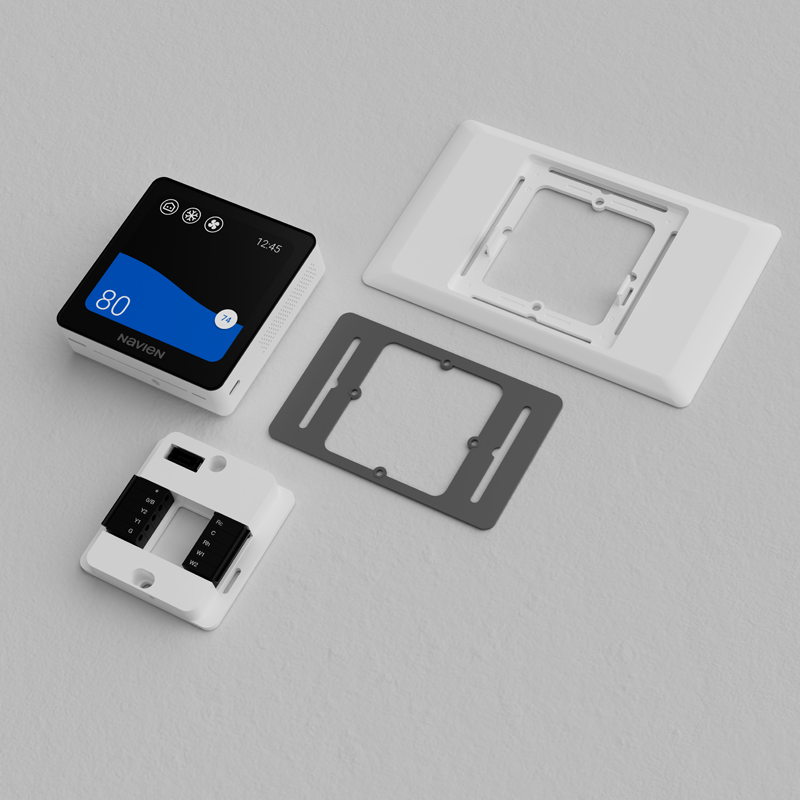
The D10 Wi-Fi thermostat includes a wall cover plate as a standard accessory. It can help conceal marks or imperfections left behind when an existing thermostat is replaced, creating a cleaner finished installation right away, without a separate cover plate purchase.
Navien’s D10 Wi-Fi thermostat is designed for use with a variety of residential HVAC systems, including forced-air gas and electric systems, heat pumps, dual-fuel systems and central air conditioning. Exact compatibility depends on equipment configuration and thermostat wiring.
Yes. Once the thermostat is connected to Wi-Fi and paired with the NaviLink app, thermostat functions can be accessed remotely from an Android or iOS device.
Yes. The thermostat requires 24VAC power using an R wire and a C wire. If your HVAC system doesn’t have an available C wire, a compatible C-wire adapter may be used.
The Navien D10 Wi-Fi thermostat can be operated using its touchscreen without a Wi-Fi connection. Wi-Fi is needed for connected functions such as NaviLink app access, automatic time and date setting and automatic software updates. (Wi-Fi 2.4 GHz required.)
Auto mode automatically switches between heating and cooling to maintain the selected temperature settings. Available system modes vary according to the HVAC equipment connected to the thermostat.
Navien provides a free wall cover plate (back plate) as a standard accessory, unlike competitors who sell cover plates separately.
During setup, the thermostat uses a two-digit configuration code corresponding to your installed HVAC system. Navien's Product Support Portal guides the installer through the equipment and wiring configuration and provides the appropriate code.
During NaviLink product registration, homeowners can optionally enter the NaviLink account information for their installer to provide access to the thermostat configuration.
Navien's Product Support Portal includes installation and setup guidance, troubleshooting resources and product information. The thermostat's Help menu also provides usage instructions, setup information, troubleshooting resources, manual access and Navien support contact information.
Ultra-low NOx means the furnace is designed to limit nitrogen oxide emissions during operation. NOx emissions contribute to smog, acid rain, and reduced air quality. An ultra-low NOx furnace helps meet stricter emissions requirements, 4 nanograms of nitrogen oxides (NOx) per joule (ng/J) or less, while still providing efficient, reliable heating.
Ultra-low NOx furnaces use advanced burners and combustion design to reduce the amount of nitrogen oxides created when natural gas burns. This helps lower emissions without compromising the steady, consistent heating performance you need in your home.
You may need an ultra-low NOx furnace if your area has local emissions rules or code requirements for new heating equipment. Even where it isn’t required, some homeowners and installers choose ultra-low NOx models to support cleaner operation and stay ahead of changing standards.